Installation Guide (W.I.P)
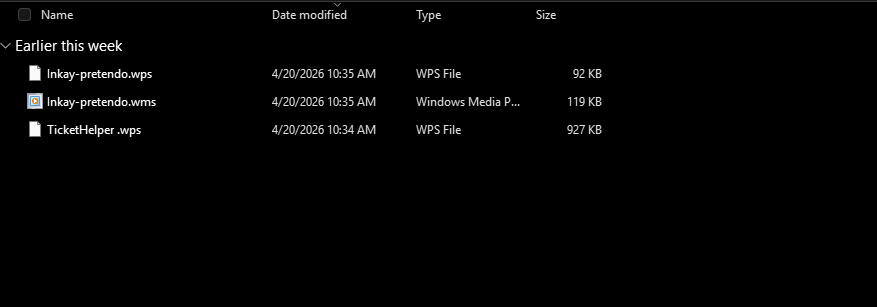
To download reeShop, review the policy. and then you will be able to download. You should find a .zip file named reeshop.zip, extract it and you should find three files named Inkay-pretendo.wps, Inkay-pretendo.wms, & TicketHelper.wps inside.
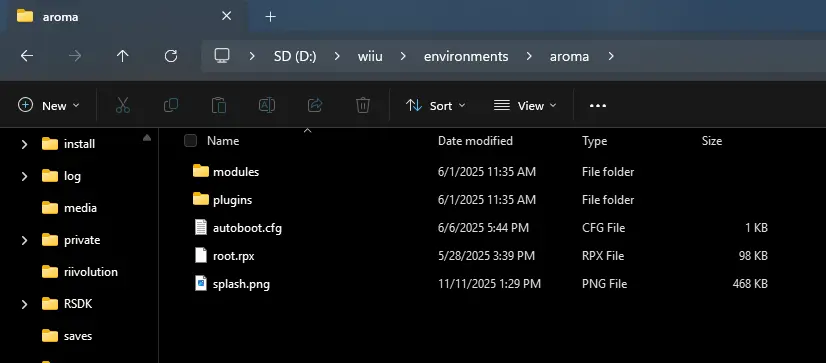
Make sure your Wii U's SD card is plugged into your computer (you can also use ftpiiu with an ftp client if you want). Look in sd/wiiu/environments/aroma/.. You should see these folders.
Now, you will want to put Inkay-pretendo.wps & TicketHelper.wps in /plugins/ & Inkay-pretendo.wms in /modules/
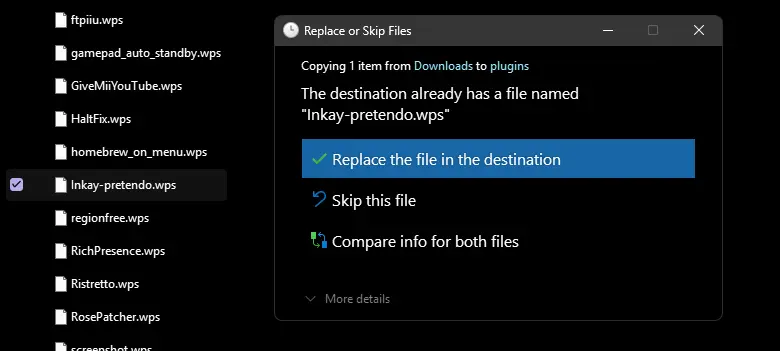
It might ask you if you want to replace it, just choose replace the file in the destination. Once you have replaced both files you can then eject your sd card and put it back into your Wii U.
!!PLEASE DO NOT SKIP THIS PART!!
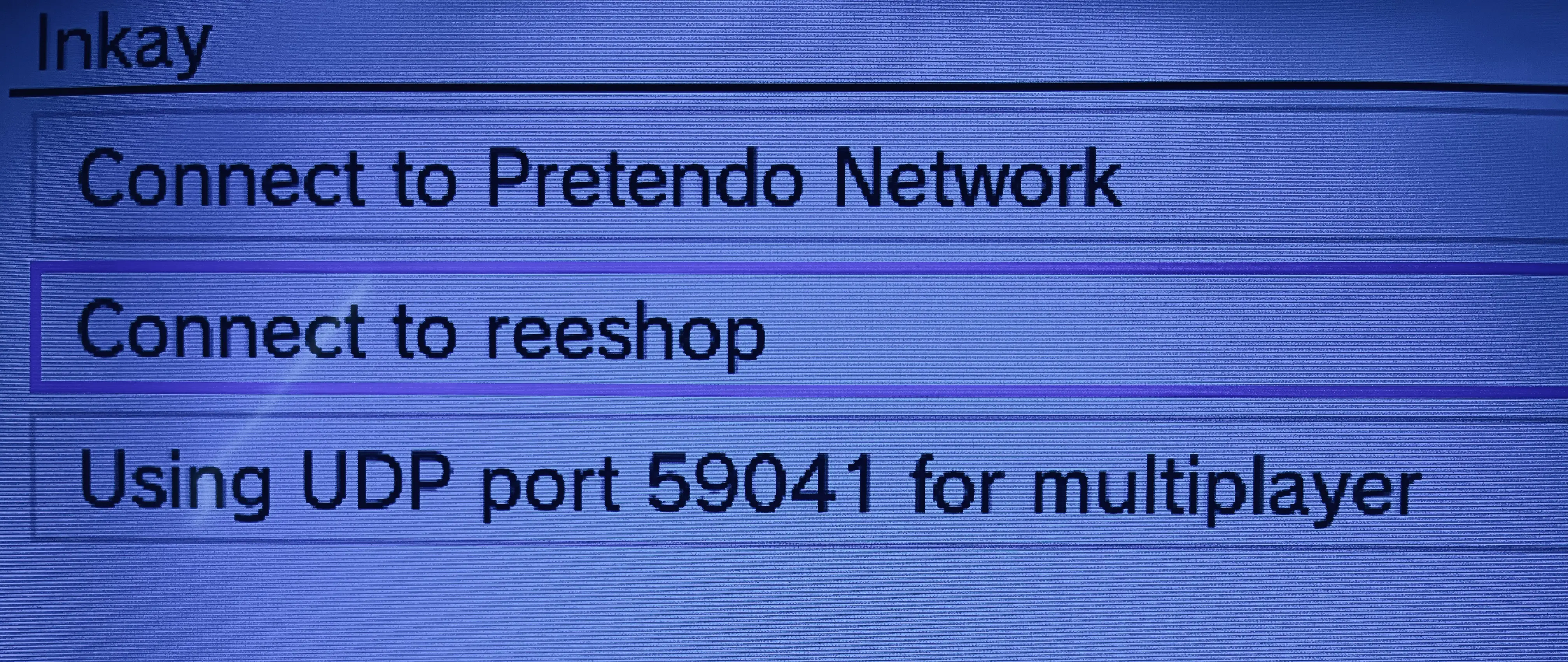
Now that reeShop is installed, you will find that you can't get on! No worries, all you need to do is go into the "Wii U Plugin System Config Menu" (or L + down + minus). Search for Inkay and open it, "go to Network Selection" and turn on "Connect to reeShop", your console will restart and you should now be able to connect to reeShop.
Congratulations! You've successfully installed reeShop. Now go explore and download. Know that our server is NOT immune to crashes so it wont always work, refer to the news page to know when it will go down.
Note that you will need to give your serial to be able to enter reeShop, it is 100% safe.